


Thursday, May 27
Panaroma - unlimited barriers
To be honest, I was not very aware, and utterly ignorant of what Microsoft Windows had to offer over its ancestors until I attended a Microsoft meet at our college. And it personally made me feel that Windows isn’t just a ‘regular’ operating system. Among those hailstones of features Windows gives you, the most impressive feature I found presented about today is the Windows Live Photo Gallery.
The Windows Live Photo Gallery is a photo management tool that I didn’t even know existed as such a strong photo interface for Windows. I thought it was just for cropping photos, changing the contrast, etc but it is much more larger than life, from what I learnt today. You can create a photo gallery, add tags, manage the albums and their contents, and do so many exciting things on Windows Live Photo Gallery. Among these supermassive set of features, the one that blew my brains away was the Panorama.
The theory behind Panorama can be directly linked with everyday life examples-like you clicked a photo and the darn camera couldn’t cover the whole width of the picture you wanted to capture. It can get real frustrating at times, trust me. So basically, Paranoma is an option in the Live Photo Gallery that simply merges more than one pictures into a single picture and so the width is covered. Yay!
Okay, for a demonstration, I clicked two pictures of my room (don’t mind the mess, please) to be panorized, which can be viewed below.
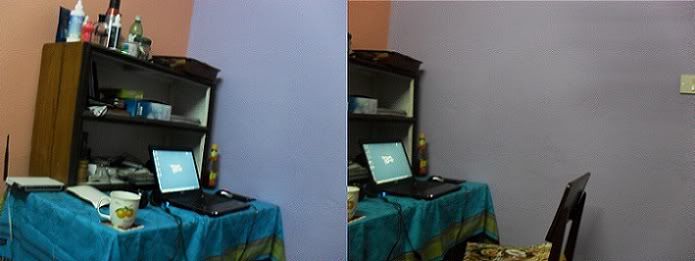
And then all I do is open the pictures in Windows Live Gallery, select them all, right click, and Click on Create a Panoramic Picture, and after a few seconds, it’s done! Now you’re viewing a widescreen photo with all the things you wanted to totally covered. Isn’t that just amazing?

I basically don’t know if such feature is already covered by modern photo editors, which I’m 99.9% sure it is, because I never bothered to learn for I never had the use. But one thing I can be so sure of is that it won’t be as easy to be done as in Windows Live Gallery.
Cheerios
teh techfreak
Labels:
tips n' tricks


